Our mission is to provide professionally trained Civil Engineers for all type of civil engineering services. Increase the supply of efficient & highly skilled Civil Engineers and serve the Civil Engineering Community.
Read More
AutoCAD is classified as the utilization of technology to assist in the design, variation, optimization of a drawing layout. In this, we can generate both 2D and 3D drawings used in road and other infrastructure projects. To understand AutoCAD basics, you need to understand what it does: The software allows to make 2D or 3D models of a product (road, building, structures, etc). The Course Module provides step by step process to use Auto CAD from “Getting Started with CAD to various commands of operations to develop drawings and X-refs. First Module “CAD Basic” commences with a desktop icon to getting start window and then explains all the details of Menus, Tabs, Settings of CAD Window. Please click to see the Preview of the Course. The second Module provides details of using the command window and how to operate it. Then basic functions like zoom, pan, etc are detailed out. The third Module starts with drawings commands like “Arc” and “Circle”. It covers all the ways and means to operate these commands. The fourth Module covers the drawing command of “Polygon” and “Rectangle”. It provides all the ways to use these two commands in various situations. Please click to see the Preview of the Course. The fifth Module covers the drawing commands like move, copy and array. It provides a detailed process to use these commands and a combination of copy and array command too. Each module provides key tips to use the command in the most efficient way to save time and effort.
Read more
“Highway Drawings with CAD” course covers details process of drawing creation considering highways features as the prerequisite. Preparation of highway drawings, needs to use various xrefs such as highway xref, road marking xref, pavement xrefs, etc. The course provides a comprehensive process to create highway drawing from scratch to printing final PDFs. The first module provides the operation process of the X-ref manager. It provides all the details of subcommands within xref window and how to operate it. It also demonstrates the process to create an xref and how to attach it with other drawings. The second module provides an operation process of drawings sheet production. It covers the process to set the drawing layouts with xrefs and then provides the details of sheet layout setting along with printer setting. Lastly, it covers the printing PDF process to generate hard copy drawings. The third module runs a pilot to generate pavement drawings. it covers step by step process to create pavement xref, layer creation of each pavement types, sheet layout setting, title frame setting, legend, notes, scale setting and finally printing drawings as PDF process.
Read more
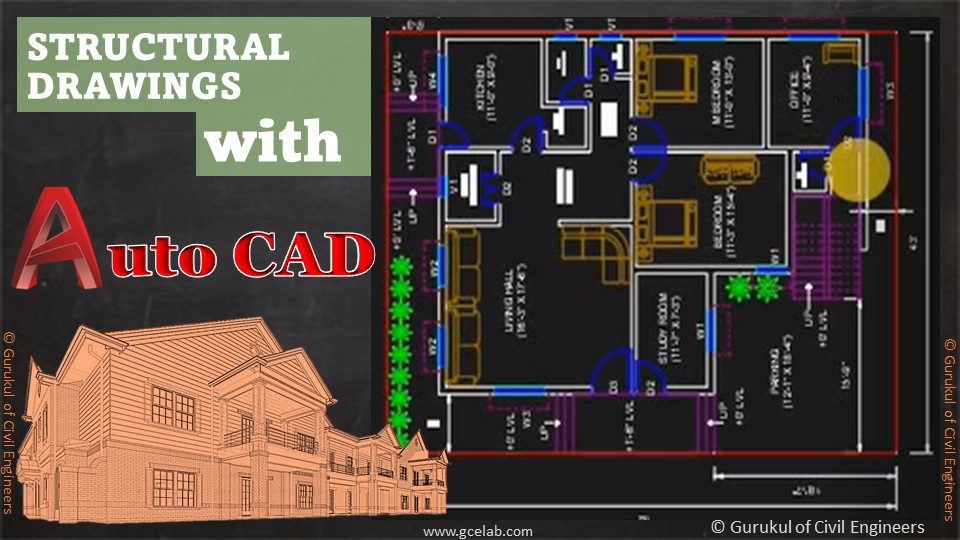
Preparing structure drawing is one of the most tedious tasks, to say the least, and when the structure is highly complex with plenty of structure details, that adds further complexities for CAD Technicians and Engineers. That’s why we develop this course and address various stages and procedures to develop Structure drawings using AutoCAD. The first module covers Introduction to AutoCAD and its basic interface. The module also shares all the details of the menu, command windows, pop-down windows and other operational details. The second module covers the basic setting of AutoCAD, basic functions, and interfaces. The third module explains how to use various toolbars in AutoCAD. Some toolbars are very useful for structure drawing preparation. The fourth module explains how to develop an architecture plan and develop each component of the plan layout. The fifth module is the continuation of architecture plan development and structure details development. The sixth module explains how to place columns in the building plan layout and then how to develop column layouts and associated details in the drawing. The seventh module explains how to place beams within the building plan layout and how to develop beam layouts and associated details in the drawings. The eighth module explains how to develop the Slab Layout of the building plan layout. The ninth module covers the shuttering layout development. The module also covers the foundation layout development. The tenth module covers the reinforcement detailing the process of beams, columns and slabs.
Read more
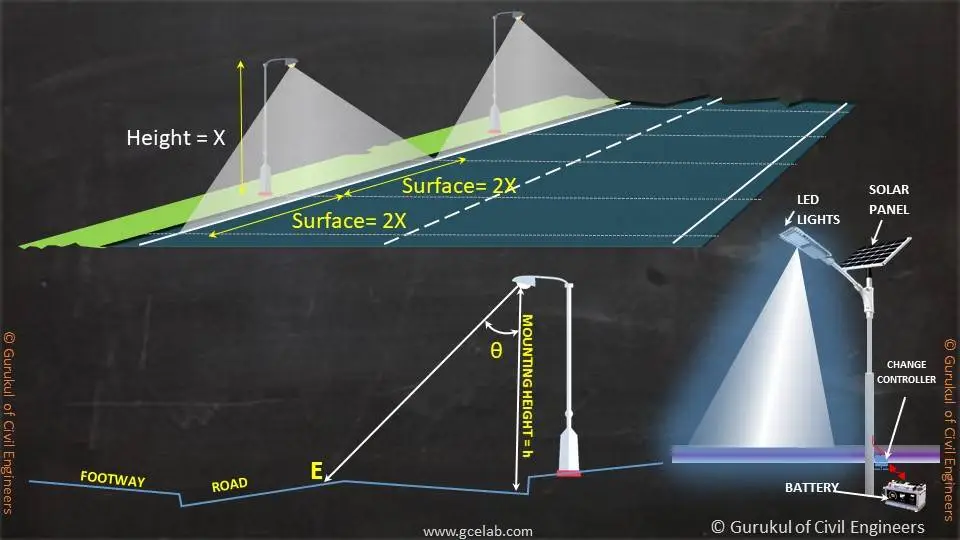
Road Lighting Engineering involves the design, construction, operation & maintenance of Road Light and associated infrastructure to ensure adequate and uniform lighting levels are provided for drivers and pedestrians safety. Road lighting design supports lighting engineers to develop a lighting model to remove dark spots, provide a clear view of the road and associated infrastructure to provide a desirable minimum illumination for all road users. The first module covers key industry of road lighting engineering, basic principles of road lighting design, site assessment criteria before initiating lighting design and lighting terminologies. Within lighting terminologies, we have covered set back distance, arm Length, mounting height, straight vertical distance, candela (cd), footcandle (fc), Illuminance (E), luminance (L), lux (lx), the lumen (lm). The second module covers the basics of lighting design, luminaire selection, road lighting mounting options. The primary methods of lighting design are luminance method and Illuminance method. The module also recommends the illuminance level, for various road types, junction types, mid-block crossings, etc. The module also covers the concept BUG Rating System that provides a numerical rating of the luminaire light distribution as it applies to the lighting trespass up light and glare. The third module covers lighting column protection measures. passively safe lighting columns, road lighting cable network, smart lighting systems and road lighting maintenance regime. When lighting columns are placed very close to the road edge or at a vulnerable location, it is highly possible to be crashed by an errant vehicle? There are two possible ways to protect it, by placing road restraint system or by using passively safe lighting columns. The module has described both measures in detail. The module also describes the smart road lighting system such as LoRaWAN. The fourth volume covers the features of LED Lighting, advantages of LED lighting, implementation of LED lighting and LED adoption challenges. LED lights are diodes that emit high-quality light with high lumen efficacy and high lumen outputs. The module has described LED lighting and all associated features in detail. The fifth module covers standard details of lighting columns, LED lanterns, feeder pillars and chambers. We have also provided a bonus section where we have shared 20 interview questions & tips for fresh civil engineer jobs. It will help newbie civil engineers to better prepare for job interviews.
Read more
If you are an Excel learner and want to learn Excel, this is the ideal course for you to start. The course gives you the opportunity to learn to excel from basics to complex levels. In the first module, you will learn about the following topics -Launching Excel, start-up window, quick access toolbar, Ribbons, and Open/Save excel sheets. In the second module, you will learn how to create spreadsheet titles, working numeric data, cell references, and basic formula operations. In the third module, you will learn excel functions like sum, minimum, maximum, average, count, and auto-sum. In the fourth module, you will learn the move, copy data in excel. The module provides details of commands like insert, delete rows/ columns. The module also provides the process of changing height, the width of cells, hiding/ unhiding cells, renaming excel sheets, deleting sheets, etc. In the fifth module, you will learn font formatting, customization, border cells, Module also provides details formatting data, format painter, Merge & centring, etc. In the sixth module, you will learn process inserting images, inserting shapes, and formatting various excel shapes. In the seventh module, you will learn how to create Bar Charts. The course provides a detailed process of addition and modification operations of the Bar Chart. The course also provides a complete process of Pie Chart creation and modification. In the eighth module, you will learn, how to sort data in an Excel sheet. The course also provides a detailed process of Data Filtering command.
Read more
Skill Improvement Leads to Employability:- GCE Evaluates & Provides a Detailed Performance Result.

At GCE, we provide course completion certificates of all courses. Our certificate comes with unique QR Code to validate it online & download it whenever needed.
We build your CV with professionally designed Resume Builder Application. Our Resume Builder is not just another resume creation tool; it is the finest tool to present your career graph.








Our mission is to provide professionally trained Civil Engineers for all type of civil engineering services....
Copyright © 2026 Gurukul of Civil Engineers | All Right Reserved | Design & Developed By Ntier Infotech India.